The CMS

A block editor, a preview that doesn't lie, and plain static HTML on the way out. No WordPress, no plugins breaking overnight.

The problem it solves

Every site I handed over became a small debt: a WordPress to keep updated, plugins arguing with each other, a contact form that quietly stops working in September, and the client writing to me because the site is mine.

The uncomfortable truth is that ninety per cent of the sites I build don't need a database running on every visit. They need pages that load instantly, that somebody can edit without calling me, and that don't fall apart on their own in the meantime.

That's where this came from: you write it in a visual editor, it comes out as static HTML. The panel is for me and for whoever wants to manage their own content; the visitor gets files that are already finished.
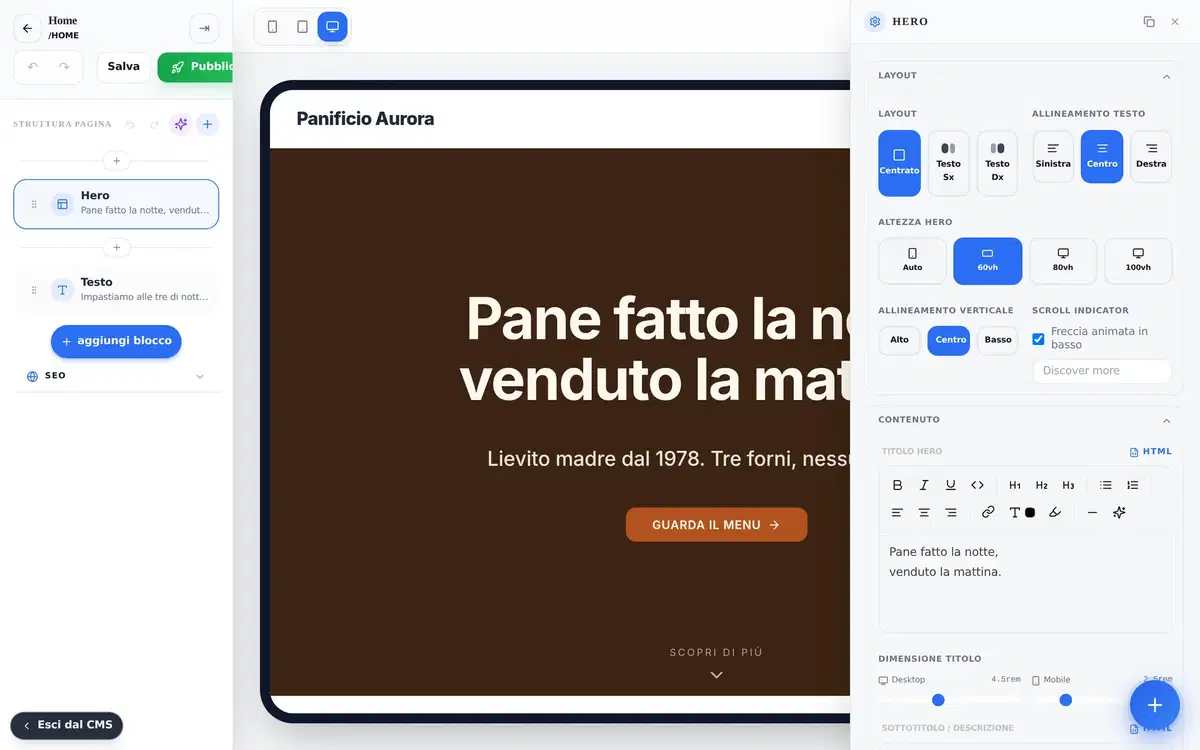
The Rodion editor: page structure on the left, live preview in the middle, block settings on the right

How it works, in three steps

1

You build it in blocks

Forty-eight block types: heroes, columns, galleries, questions, pricing, forms, bookings, scroll effects. Drag them into the order you need and fill them in.

2

The preview is the page

Preview and published site run the exact same code. It isn't a simulation: what you see while writing is the file that gets served.

3

It goes out static

On publish each page becomes plain HTML with images in several sizes, copied where it belongs. Untouched pages aren't rebuilt, so publishing an edit takes a couple of seconds.

What's actually in it

Composable blocks

Forty-eight types, from the ordinary to the unusual: pinned sections, image sequences, before-and-after comparisons, multi-step forms.

A preview that matches

One source for effects and styles. If it behaves in the preview it behaves on the site, and the other way round.

Real multilingual

Pages linked to each other, separate menus per language, hreflang generated. One language can have pages the other doesn't.

SEO as standard

Sitemap, structured data, responsive images, 301 redirects when you retire a page, llms.txt for the newer crawlers.

Consent and cookies

Compliant banner with consent recorded and reopenable, Consent Mode v2, access and deletion requests handled from the panel.

Selective publishing

Only changed pages get rebuilt. On a fifty-page site that's the difference between minutes and seconds.

The panel

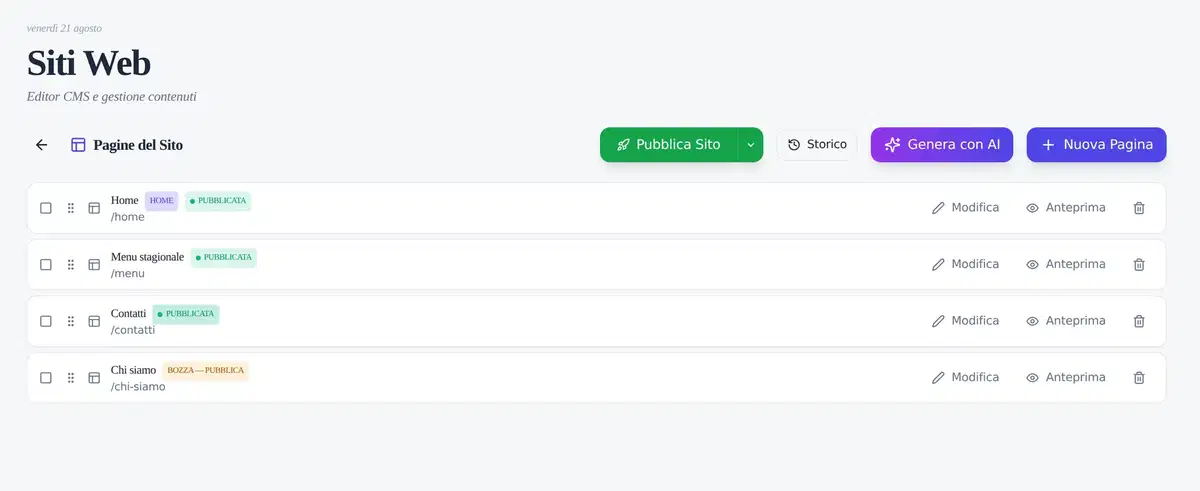
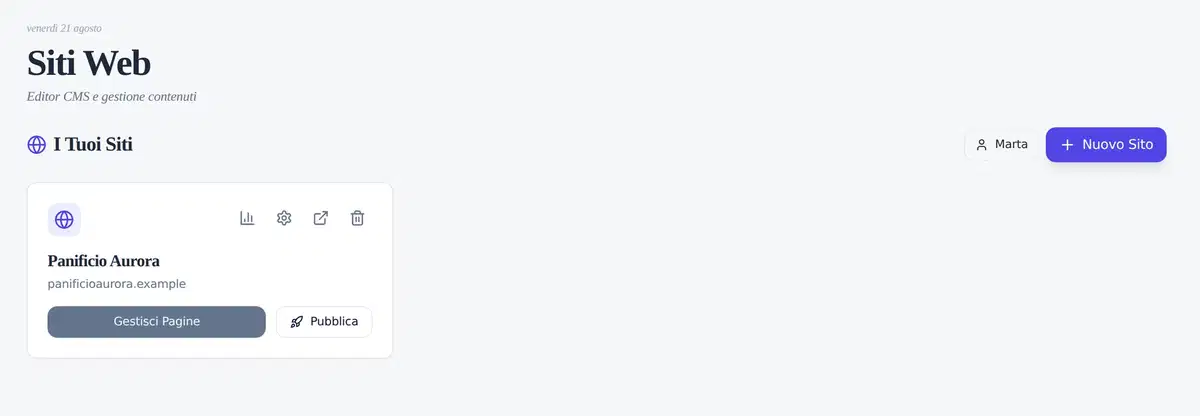
The list of managed sites
Page list with publication state

What runs on it

This isn't a prototype full of placeholder content. These are real clients, who pay, using them every day:

And this one you're reading. rodion.it is built with Rodion too: if the editor couldn't take daily use, I'd be the first to notice.

For the people who appreciate details

Pages are rendered with the same React code as the preview, then frozen into HTML. The parts that need to stay alive (forms, accordions, bookings, scroll-linked effects) come back with plain JavaScript, no framework on board.

Images go out in four widths plus the modern format, with dimensions declared so the page doesn't jump while it loads. Scripts are bundled into separate cacheable files. The result is a site with no database to attack, no security updates to chase, and one that keeps working even when the panel is switched off.

Need a site built like this?

Rodion isn't sold off the shelf: if your project fits inside it, we build it together. Write to me and we'll talk, you'll get me, not a bot.

rodion home, Multi-site CMS without WordPress